Deleted photos?
Get them back safely.
Check my card (free, 1 minute)
In development. Free scan, previews, and up to 10 files saved free when it launches.
Answer four short questions to find your next step. Check backups and free tools before paying. No upload needed.
$29 once for Mac and Windows when it launches. Free scan, previews, and up to 10 files saved free when it launches.
Tell me when it's out
One email when Card Lifeboat launches. Nothing else.
Your address goes only on this launch list. How we keep and delete it.
Checked 21 November 2026
Matthew Kerr, Kerr & Company
3 things to do right now
Stop using the cardDon't format or repair itCheck your backups firstHow it will work
Choose the source
Connect a supported memory card or USB stick. The app will read it without writing to it. Set aside another drive for saved files.
Scan and look
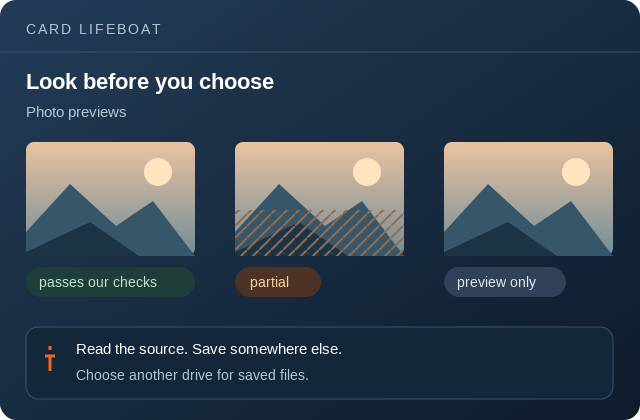
Free scan, previews, and up to 10 files saved free when it launches. Run the scan, open the previews and check the free saved files before deciding whether to pay. A preview needs to be checked carefully. A thumbnail alone cannot tell the whole story of a photograph or a long video.
Save somewhere else
Choose the files that pass the app’s checks and save them to a different drive. Open the saved copies there. Keep the source untouched until you have checked what you need.
Choose the guide that matches what happened
The right route depends on what changed. Deleting a folder is different from formatting a card. A card that does not appear in a file window may still be visible to the computer as a device. Our guides help you tell these cases apart before changing anything.
Browse all guides, answers and comparisons by topic.
Questions you might have
Can I download Card Lifeboat now?
No. It is in development, not yet released. Leave your address for one email when it launches. There is no launch date on this site.
What will it cost?
$29 once for Mac and Windows when it launches. Free scan, previews, and up to 10 files saved free when it launches.
Is any of it free?
The scan and the previews will be free, and you can save up to 10 files free, so you can check it works on your own card. Card Lifeboat is $29 once for the rest.
Will it write to my card?
The plan is read-only. It will never write to the source card, and saved files will go to another drive.
Can erased data come back?
Overwritten or erased data cannot be recovered. SSDs and some cards may erase deleted data before a scan.
Will it scan my Mac’s internal drive?
A Mac’s internal drive usually cannot be recovered. Start with the Trash, iCloud Photos and Time Machine.
Does a preview prove my video is complete?
No. Check more than the opening frame. The app will show only what passes its checks, and its tests are not final.
Can I use Card Lifeboat for my work?
Card Lifeboat's licence will allow personal and work use. A photographer can use it on a client's card under the planned licence. The terms will say so when it launches.
Do I have to join the list to read the guides?
No. Every guide is open to read. The launch email box is optional and puts your address on no other list.
Next useful page: Start with deleted photos on an SD card